The Files screen
A shared space, not one more attachment
The folder icon opens your file space. You put there what has to last and circulate: the drawings for a job, a supplier's technical sheets, photographs of an installation. The New button sends a file from your computer; drag and drop works too.
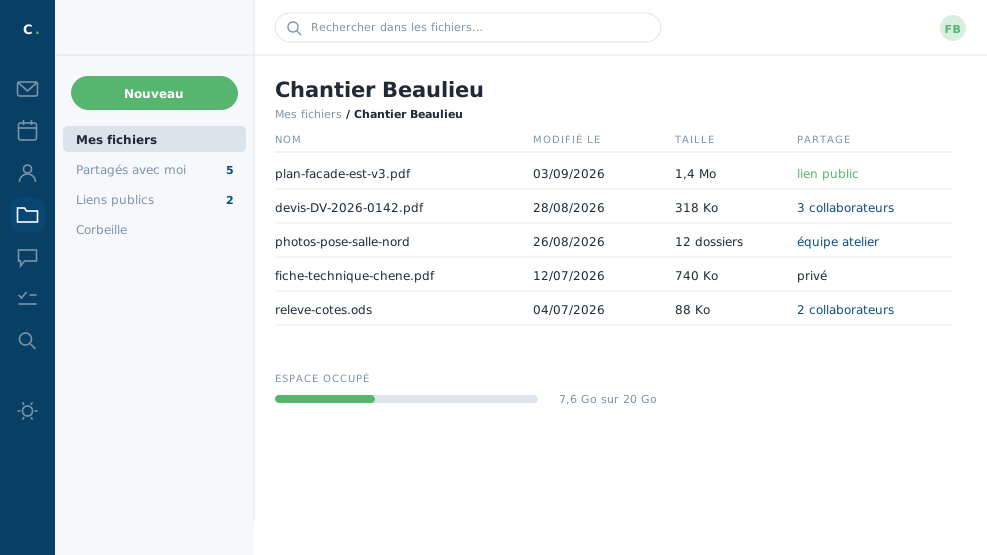 A job folder: drawings, photographs and quotes,
shared with the team.
A job folder: drawings, photographs and quotes,
shared with the team.
Filing and finding
The arrow beside New creates a folder. You file there as on a computer, by dragging files. The display switches between list and thumbnails, which speak more plainly when photographs are involved.
A right click on a file offers to view it without downloading: PDFs, images and office documents open straight in the page.
Sharing, and with whom
A file's sharing tab offers three routes. You add collaborators from the company, to read or to edit. You generate an internal link, for colleagues. Or you create a public link, for a customer or an architect with no account: that link can be given an expiry date and an access code, and is revoked with one click the day the job is finished.
Versions
A replaced file does not wipe out the old one: earlier versions stay available, and you can go back to one of them. A drawing V3 that turns out wrong therefore does not cost you drawing V2.
For a heavy file, send the link rather than the attachment. The recipient downloads the latest version, your message stays light, and everybody's mailbox thanks you for it.
In closing
A link weighs less than an attachment and does not go stale in a mailbox. For a heavy drawing or a file that has to circulate, it is the right habit.
Commenting is not enabled on this course.