Settings, set once
Few settings, and that is deliberate
There is little to configure in Cybélia IoT, and that is deliberate. Here are the settings that matter, and what each of them really changes for you.
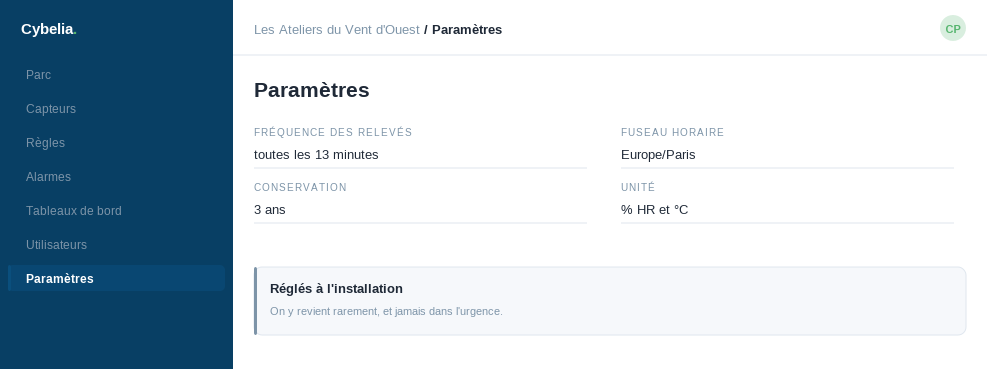 Site settings: units, time zone, reading frequency.
Language
It is chosen per person, not for the company. Emily reads in French, a Spanish partner reads in Spanish, and both are looking at the same readings. Changing your language changes nothing for anyone else.
Time zone
This is what decides the times shown on curves and in alarms. A wrong time zone gives readings an hour out: the measurement is right, the time is not. It explains nine out of ten "odd" timings, and it takes ten seconds to check.
Your email address
This is where alarms are sent. An out-of-date address in that field and you believe you are being watched over when you no longer are: the tool conscientiously sends its messages to a mailbox nobody opens. It is the first thing to check when somebody says "I never get anything".
Your password
You change it here, without going through anyone. Change it if you have the slightest doubt, it is never an embarrassing thing to do, and it cuts off no alarm in progress.
Company name and logo
These appear at the top of the screen and in alarm emails. It is cosmetic, but useful: at three in the morning, on a phone, you want to recognise at a glance which company the message is about.
None of these settings touch the readings. Changing a language, an address or a time zone alters not one recorded value. You risk nothing by exploring this screen.
The annual review
Once a year, read through everybody's email addresses. It takes five minutes, and it heads off the classic nasty surprise: the person who used to receive the kiln alarms changed jobs eight months ago.
In closing
A measuring tool that constantly needs adjusting is not a measuring tool. Set the language, the units and the recipients once, and only come back if your organisation changes.
Commenting is not enabled on this course.