Creating your workspace and accepting the terms
"Register", "Welcome" and "Accept terms" pages
These three screens are only seen once, right at the start. They are grouped here so you know what they are for, and why you are asked for a company registration number.
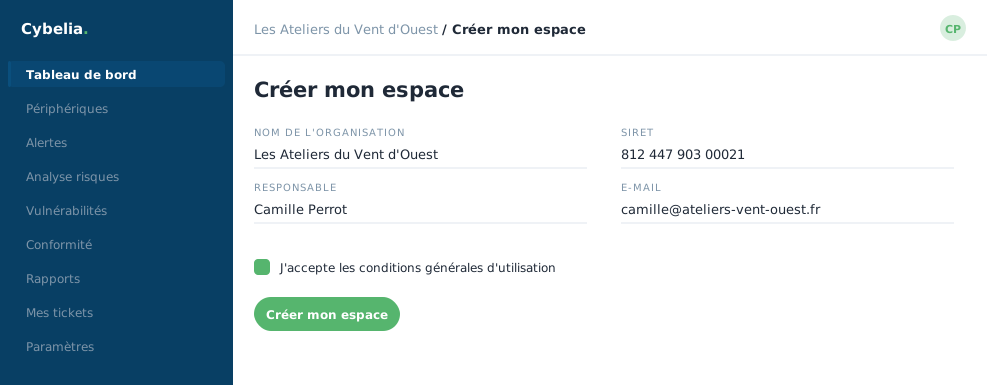 Creating the workspace: the organisation, the person in charge, and the terms to accept.
Registration
The Create my client workspace screen asks for your organisation's name, a work email, a password, then two legal details: the company registration number and the VAT number. Those two exist only for invoicing, without them, no valid invoice can be issued. A six-digit code then arrives by email to confirm the address.
The "Welcome" page
Straight afterwards, a short four-step walkthrough offers to fill in your company's registered name and address. All of it is optional: the "Skip this step" button is perfectly legitimate, you can fill it in later from "My organisation".
Accepting the terms: the portal can be browsed freely. The terms are only required in order to act, to create, change or trigger something. So you can look at everything first, and sign afterwards.
And if the terms change?
You are given notice, displayed plainly with its end date. During that period your access stays whole, and you may cancel at no cost. The button "Later, my access stays whole during the notice period" is not a trap: it does exactly what it says.
Your signature is recorded with the date, the time and the version number you accepted. It is an electronic signature under European regulation, and it carries the same weight as a handwritten one. A signed PDF remains downloadable at any time.
In closing
Three screens, once only. The registration number requested links your space to a real legal entity, which matters on the day a report has to stand up before an insurer or an auditor.
Commenting is not enabled on this course.