The crisis room: the button never to press
"Crisis room" page
This page exists for the bad day. It is deliberately simple: a button, a contact list, and a space to write down what is happening.
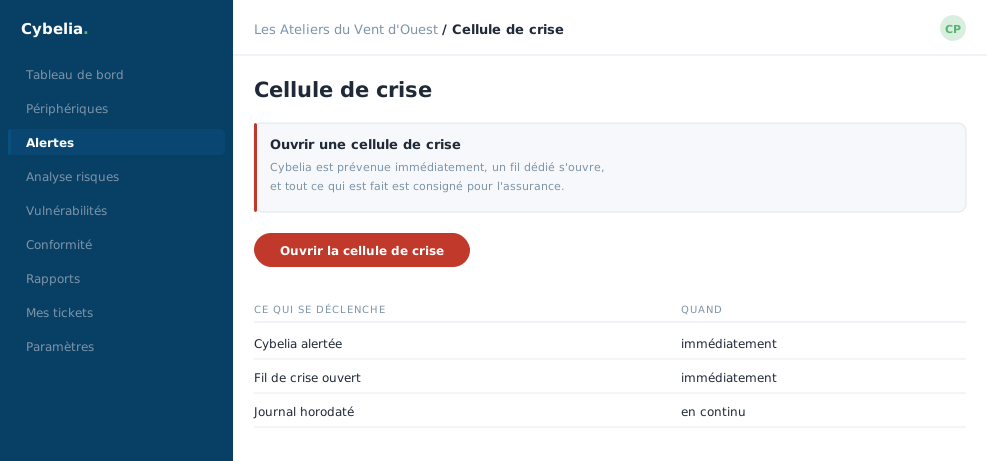 The button you hope never to press, and exactly what it sets off.
The alert button
One button, red, with a confirmation before it fires. You give a short title, "workshop computer stuck", for instance, and a description of what you see. Sending it immediately notifies the emergency contacts, including the Cybelia Cloud team.
The title is the only required field. Nobody expects a well-written report at the moment you have a problem: three words will do.
It is always better to press for nothing. Nobody will hold a false alarm against you. A doubt kept to yourself for two days, on the other hand, is expensive. Press it.
Emergency contacts
A list to keep up to date calmly, today, not on the day itself: name, phone, email, role. You put in management, the IT person, Cybelia Cloud, and if needed an outside adviser. At Les Ateliers, the list runs to four lines.
The thing to do right after this lesson: check that Camille's mobile number is today's one.
The follow-up room
Each alert opens a space where you note what you observe and what you decide, hour by hour. Incidents appear as open or closed. That record then serves the calm review afterwards, what worked, what to improve, and, if need be, the insurer.
In closing
The bad day is not the time to learn where to click. Open this page once when all is calm, check the contact list is current, and close it hoping never to come back.
Commenting is not enabled on this course.