Checking a suspicious address, and outside intelligence
"Observables" and "Threat intelligence" pages
These two screens answer the same family of question, "is this thing known to be dangerous?", but in opposite directions. One asks, the other listens.
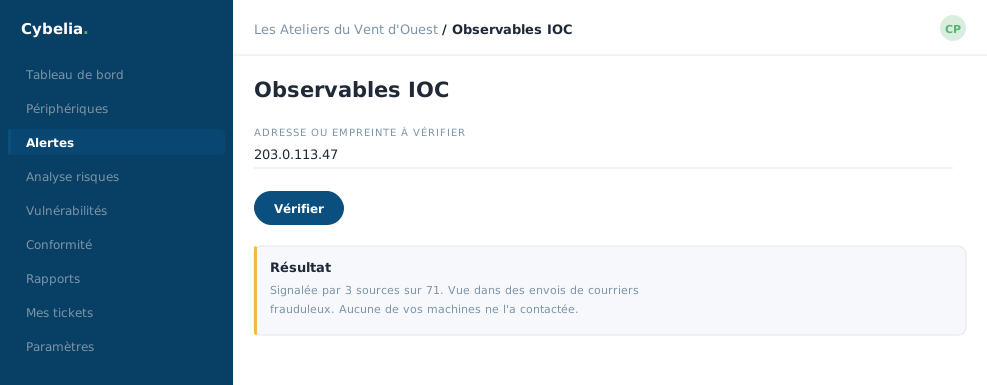 Checking a suspicious address: what outside sources say about it.
Observables: you ask the question
Farida gets a dubious email with a link in it. She copies the link, opens "Observables", picks the type, address, domain, link or file fingerprint, pastes the value, and clicks "Analyse".
Several analysis services answer within seconds. The result appears in a table: the date, the value, the analyser, the state, and the verdict. Four counters track total analyses, successful ones, those in progress, and failures.
This action costs nothing and commits to nothing. Checking a link before clicking it is the single most profitable reflex in all of computer security. Do it without hesitation, even ten times a day. An analysis "failure" is never a verdict of danger: it is a service that did not reply.
Threat intelligence: you are informed
The other screen works the other way round. It gathers lists kept by the worldwide security community, addresses and links known to be malicious, and continuously compares them against what your machines see.
Four counters: the number of active sources, the total of indicators tracked, the malicious addresses and the malicious links. A search box finds a specific value within those lists.
There is nothing for you to do on this page: it works for you in the background. You open it out of curiosity, or to check that a source is indeed active.
In closing
Two screens, two directions: you ask, or you are told. Get into the habit of checking a doubtful link before clicking; it costs fifteen seconds and prevents most bad days.
Commenting is not enabled on this course.