My organisation : companies and licences
"My organisation" page
Many small companies have several legal entities: the trading company, the property company, sometimes a subsidiary. This page lets you keep them cleanly apart while retaining an overall view.
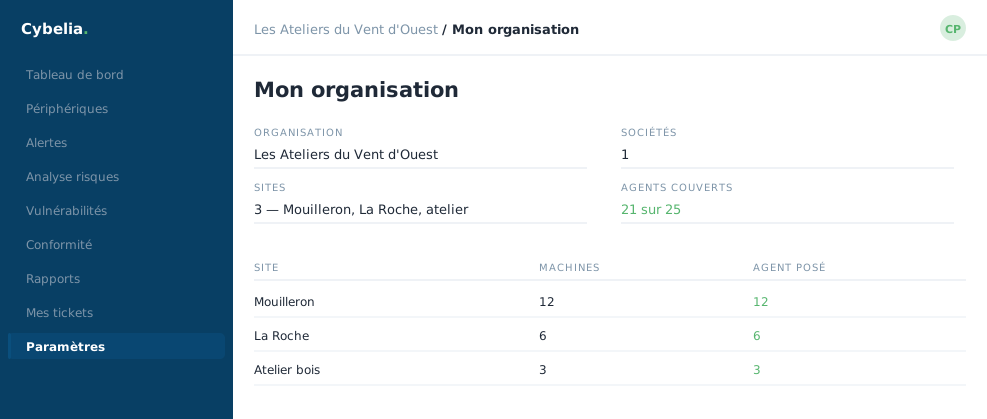 The organisation and its three sites, with the agents installed at each.
Companies
The New company button asks for a name, and that is all to begin with. Each company then shows the number of machines attached to it. A company cannot be deleted while it still has machines: that is a deliberate safeguard, not an obstacle.
Licences
At the top, three figures: used, total, available, with the split between those covered by the contract and any granted free. A machine registered but unlicensed appears clearly as not monitored, with an Activate licence button.
A licence is released as easily as it is assigned. When a workstation is scrapped, the Deactivate licence button hands the slot to the next machine. You do not pay for a computer that no longer exists.
Registering a machine
The form asks for an agent identifier and, if you wish, a meaningful name. The machine is registered without a licence: you activate it afterwards. This two-step split avoids using up an entitlement by mistake.
The logo
You can upload your company's logo: it appears in the menu, next to Cybelia Cloud's. Standard formats, two megabytes maximum, transparent background recommended. A small thing, but it makes the tool feel like yours.
The same page carries the organisation's name and contact email address, the two details Cybelia Cloud uses to reach you.
In closing
Separating legal entities cleanly from the start saves redoing it all later. Each company keeps its own machines and licences, and you keep the overall view.
Commenting is not enabled on this course.