The list of my databases : /bases and /bases/fragment
The portal's central screen
This is where everything happens. The page reads top to bottom and falls into three parts, always in the same order.
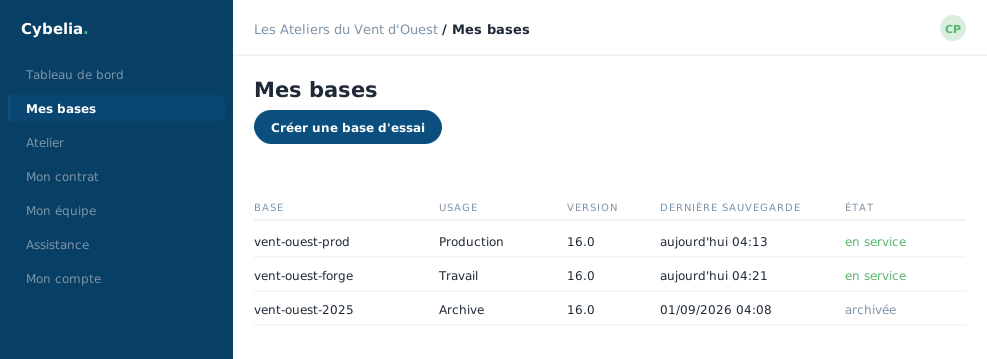 Your databases: the working one, the one for trying things, and the archives.
1. My working database
A box on its own at the top, with its own border. It carries the name you gave it, the date of the last sync with production, and three buttons: Open my ERP, Project, and Pull down my production. If you do not have one yet, the box offers to pull one down, that is the action that creates it.
An "Open on mobile" panel shows two codes to scan, one for the ERP, one for workshop handhelds. Yanis uses it to open the database on the scanner at the Mouilleron site.
2. My test databases
A quota bar first: 2 / 5 for instance, green while there is room, amber as you get close, red when full. Then the table: name, type, number of Cybelia Cloud modules, last update, and the actions. A database being created shows a spinner and a percentage.
The page refreshes itself while a database is being prepared: that is
what /bases/fragment is for, an internal address the portal calls
every few seconds to redraw only the part that moves. You need not reload
anything. Once everything is ready, that heartbeat stops on its own.
3. The bin
At the bottom, when relevant: your deleted databases, the date they were deleted, and how many days remain before they are erased for good. A button wakes them up.
The messages at the top
After each action a banner explains what just happened: "Creation under way", "Database moved to the bin", "Database woken up", "This is your new working database". They disappear on the next reload.
In closing
This is the screen you will open most often. It always reads in the same order: your working database at the top, test databases next, archives at the bottom. That order is not cosmetic, it is hierarchical.
Commenting is not enabled on this course.