Tasks : /atelier/tasks, /atelier/db/{db}/board and /tasks/new
Two views of the same board
A customisation project is a list of things to do. The portal keeps it for you, as columns you move cards through from left to right.
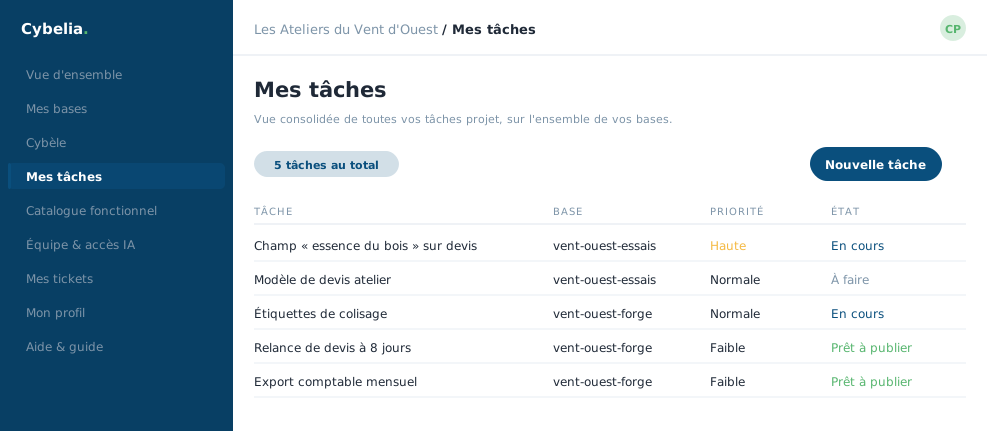 The tasks from all your databases in one place, with their priority and their state.
One database's board, /atelier/db/{db}/board
The tasks for this database, arranged in columns by state. Each card carries its title, who it is assigned to, its priority and its due date. Two arrows, ← and →, move it between columns: that is all you need to know to run the board.
The consolidated view, /atelier/tasks
The same tasks, across all databases, with a badge on each card recalling which database it belongs to. The total is shown at the top. When you have several databases, a row of buttons filters on one of them, or returns to "All".
If your account has no database yet, this page does not show an empty board: it explains that a task is always attached to a database, and offers to create one.
Creating a task, /atelier/db/{db}/tasks/new
A form folded at the top of the board, opened with one click. Five fields: the title, who the task goes to, picked from the members of your company, the priority (low, normal, high), the due date, and a free description.
This board is yours. Cybelia Cloud reads it to understand where you stand, but does not fill it in for you. A badly filed task breaks nothing; a task never written down eventually gets lost.
At the workshop, Yanis created "Add timber species to the quote", high priority, due on the 21st. Farida reviewed it, Tom tested it, and it crossed the board in eight days.
In closing
Two arrows are enough to run a task board: that is deliberately spare, so that nobody has to learn a project management tool before reporting that a field is missing.
Commenting is not enabled on this course.