Installing the agent on a machine
"Deployment" page
Nothing is monitored until a small program, the agent, has been installed on the machine. This page builds the ready-to-run installer for Linux, Windows and macOS.
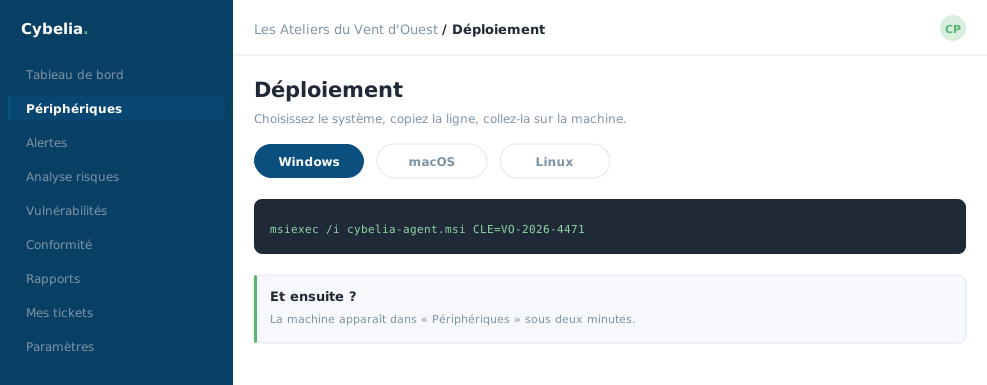 Installing the agent: pick the system, copy the line, paste it on the machine.
How to go about it
First pick the company to be monitored from the drop-down. That matters: the script is then pre-configured for it, and the machine registers itself after installation, with nothing further to do.
Then, depending on the system:
| System | What you do |
|---|---|
| Windows | Download the file, right-click, "Run as administrator". Installation is fully automatic. |
| Linux | Download, open a terminal in the downloads folder, run the line shown. |
| macOS | Download, open Terminal, run the line shown. |
A "Copy" button copies the command for you; no need to retype it.
A banner sometimes warns: "agents installed in inactive mode". That means the machine is equipped but not yet covered by the subscription. Nothing is broken: just activate a licence from "My organisation". Until then, the machine reports nothing.
And to uninstall?
The same page provides the uninstall script. You need it when a machine is scrapped or changes hands. A computer removed from the portal without the agent being uninstalled keeps talking into the void: the "Equipment" page will point that out, with the exact command to run.
At Les Ateliers, Yanis installed the agent on the three workshop computers in one afternoon, without calling anybody.
In closing
Nothing is monitored until the agent is installed. Pick the right company before generating the script, that is the only mistake available at this stage, and the machine appears in the estate in under a minute.
Commenting is not enabled on this course.