Notifications : being told, without being pestered
"Notifications" page (Settings menu)
Nobody spends the day watching the dashboard. This page decides what comes to find you, and how often. It is the single most important setting in the whole tool for your peace of mind.
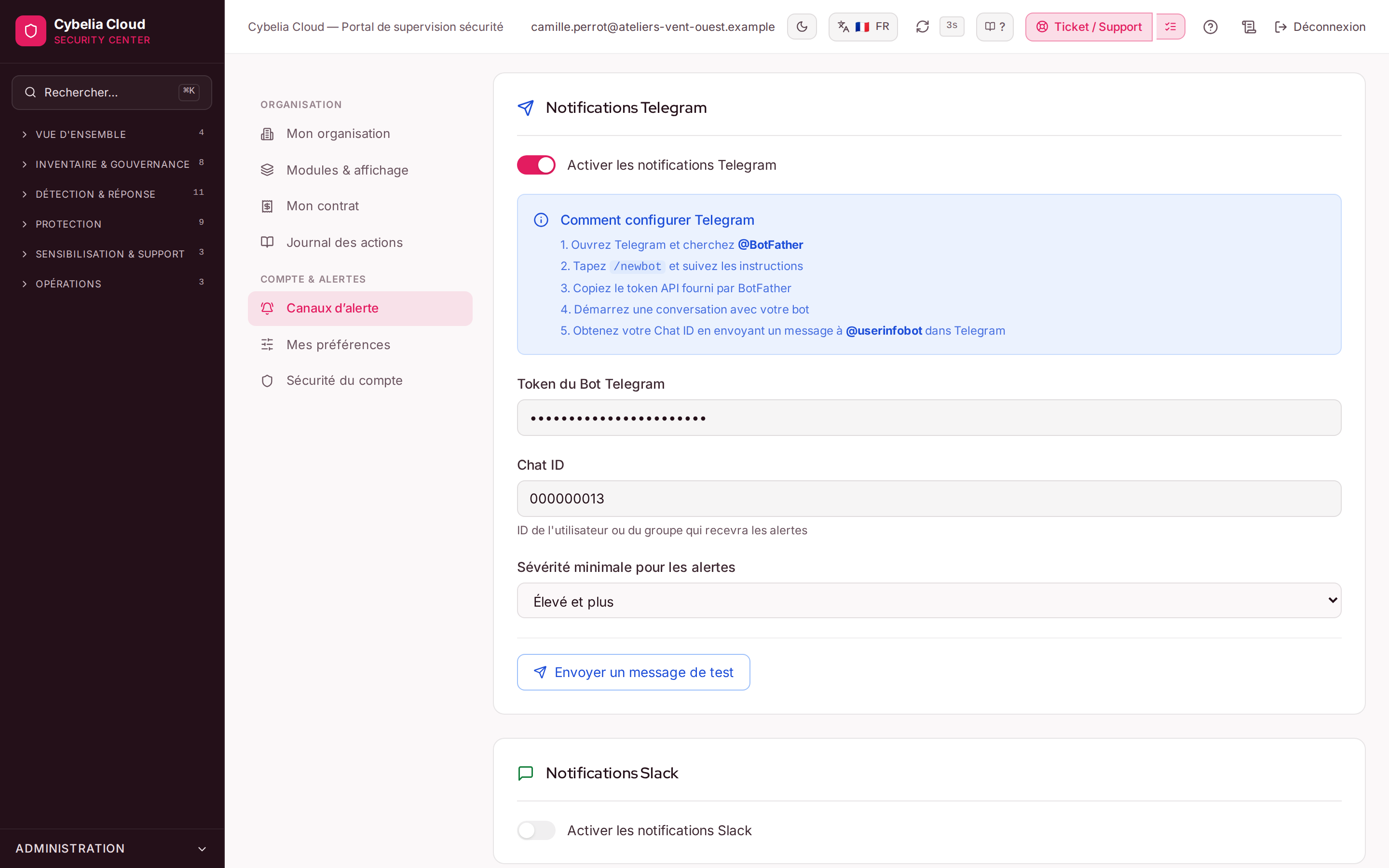 Where your alerts go, and from which severity: receive little, but read it.
Two channels
By email: you give one or more recipients separated by commas, the frequency, daily, weekly or monthly, the day and the sending time.
By instant messaging: a summary arrives on the phone. The page explains step by step how to link your account, with numbered steps. Cybelia Cloud can do it with you in ten minutes.
The setting that changes everything
The minimum severity decides what is sent to you: low and above, medium and above, high and above, or critical only.
The right setting for a small company: "high and above" on the phone, and a weekly summary by email. Too many notifications kill the notification: after three weeks you stop reading them, and it is the fourth one that mattered.
Test before you leave
A Send a test button for each channel. You check straight away that the message arrives, in the right place, and does not land in the junk folder. Thirty seconds, once and for all.
At Les Ateliers, Emily gets the Monday-morning summary, and the only urgent message sent in a year concerned a machine that broke down on a Sunday, the backup had already taken over.
In closing
This is the most important setting in the portal for your peace of mind. Too many notifications and nobody reads them; too few and the alert goes unseen. Start restrictive, you can widen later.
Commenting is not enabled on this course.