My subscription's capabilities : /reglages
Two switches in series
A capability, intelligent assistance, monitoring, connected devices, is available only when two conditions are met: your contract carries it, and you have switched it on. The first switch belongs to Cybelia; the second is here, in your hands.
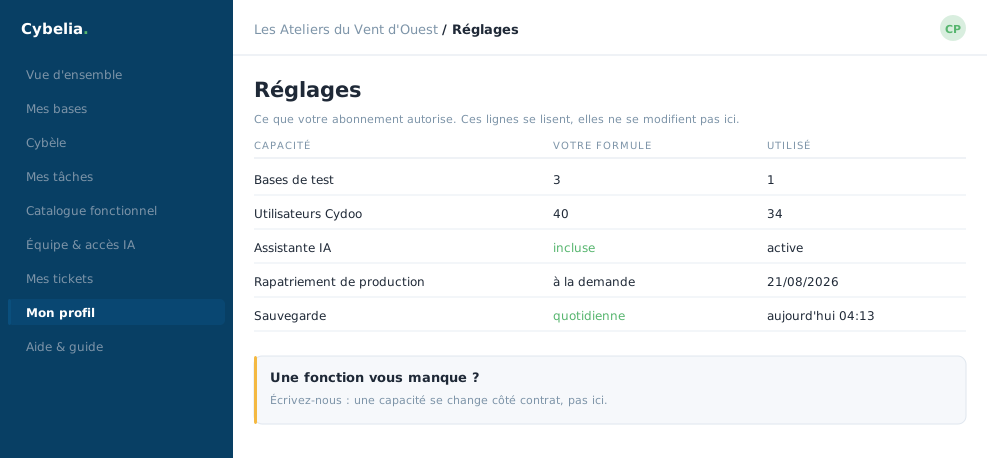 The subscription's capabilities: what is switched on, what is not, and why.
What the page shows
A list of cards, one per capability opened by your contract, each with its name, a line of explanation and a switch. You flip it, the page saves, the change takes effect immediately.
You only see what you can actually switch on. A capability your contract does not carry does not appear here, not greyed out, not struck through: absent. You are never shown a list of things you are denied.
Why switch off something you pay for?
Because a capability switched off is one screen fewer for your teams. A company not yet using connected devices gains from not showing that menu: the portal stays readable, and the capability comes back with one click the day the need arrives.
Widening your contract
If a capability is missing, it is not requested from this screen: it goes through a ticket or your usual contact. The page says so, and the link to support is immediately at hand.
Camille switched monitoring on in the first month and left connected devices off. The workshop will fit sensors next year; on that day, one click on this page will be enough.
In closing
Two switches in series: the contract opens the capability, you switch it on. If a card is missing from this page, it is the contract to look at, not the setting. What you toggle here takes effect at once, and toggles back just as fast.
Commenting is not enabled on this course.