Opening a support ticket
"My tickets" page
A ticket is simply a written request that does not get lost. Unlike an email or a phone call, it carries a reference, a status, and a record of everything that has been said.
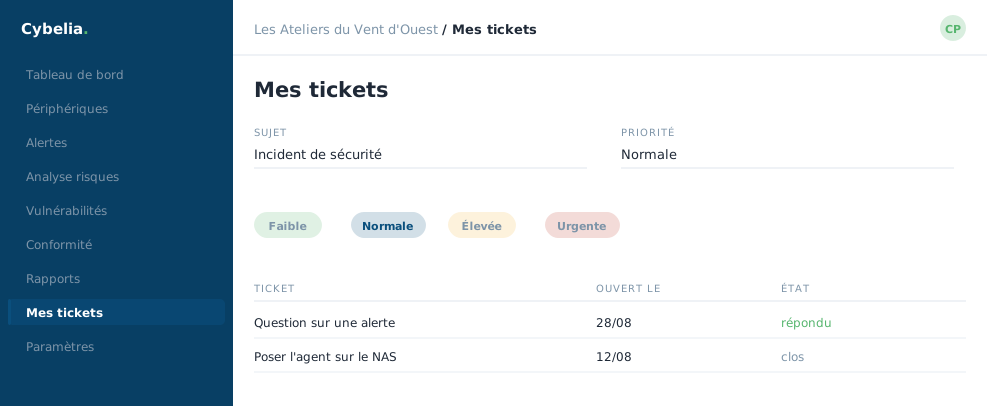 Opening a ticket: the subject, the priority, and the history of your requests.
Creating a request
The form has four fields. A subject, three characters is enough, but a clear sentence is better. A description, ten characters minimum, and again, the more you say the more direct the answer will be. A category: incident, request for help, configuration, billing, or general. A priority.
Two optional but valuable fields: the machine concerned and the related alert. Filling them in saves the "which machine do you mean?" round trip.
Following the request
Each ticket shows its reference, its state, open, in progress, awaiting your reply, resolved, the person handling it, and the date of the last update. A search box and filters help you find an old ticket.
A column tells you whether the team really was notified. An indicator shows the alert email has gone out to the monitoring team. You do not have to wonder whether your message landed anywhere: it is written on the screen.
When to open a ticket?
As soon as you have been puzzling over something for more than ten minutes. There is no quota, no bad ticket, and a beginner's question is a good question: if it occurs to you, it will occur to others.
For a genuine emergency, this is not the way through, use the crisis room button seen in chapter 4. That one wakes everybody up at once.
In closing
A ticket does not get lost, unlike a phone call. A clear subject, what you expected, what you saw: three lines are enough to save a round trip.
Commenting is not enabled on this course.