My account : /me, /me/password, /me/locale and /me/mfa
The profile, /me
Your identity, your company, the databases you can reach, your Cybelia Cloud contact, and the capabilities carried by your contract. This is the page to open when you wonder "what exactly am I entitled to?".
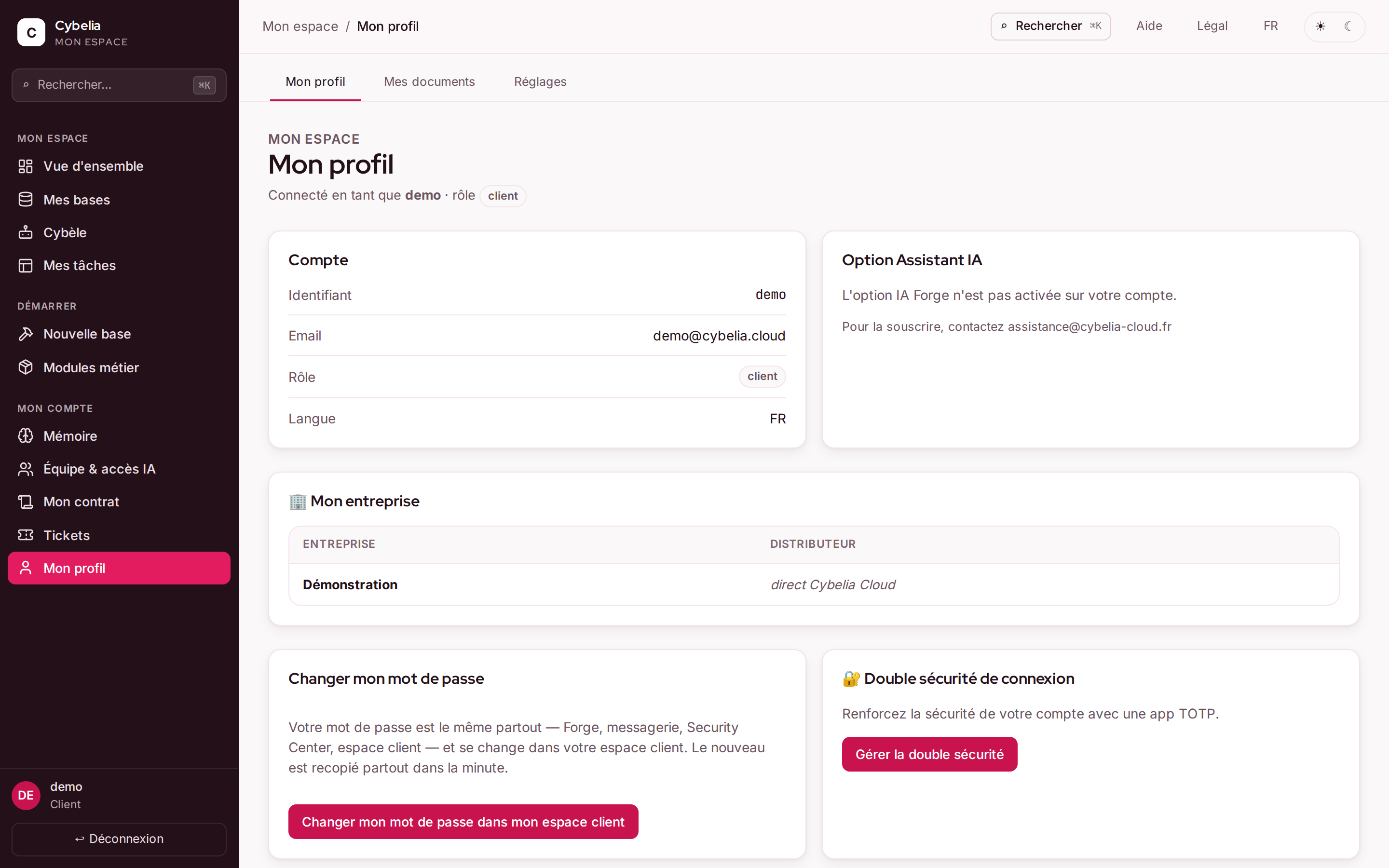 Your account: identity, language, password and two-step sign-in.
Changing your password, /me/password
Three fields: the current one, the new one, its confirmation. The old password is required, that is what stops someone who finds your screen unlocked from locking you out.
Two behaviours to know. After a successful change, all your other sessions are closed: the workshop machine, the tablet, the phone. That is deliberate, and useful the day you suspect someone else was signed in. Also, several failed attempts in a row make you wait a few minutes before trying again.
Changing language, /me/locale
French, English, Spanish. The choice applies to the whole portal, is remembered between visits, and has no effect on your ERP's language: they are two separate settings.
Two-factor authentication, /me/mfa
The page first shows whether the protection is on and, if so, how many backup codes you have left out of the ten provided.
Turning it on takes three steps. The portal shows a code to photograph with an authenticator app on your phone. You type the six-digit number it displays, which proves the link is made. The portal then hands you ten backup codes.
The ten codes are shown only once. Print them or store them somewhere safe. They are what gets you in the day your phone is lost, broken or flat.
Turning it off requires both your password and a valid code. That is deliberately more demanding than turning it on.
In closing
This is the page to open when you wonder what you are entitled to. Changing your password there closes your other sessions, which is intended: it is the first thing to do if you have any doubt about your access.
Commenting is not enabled on this course.