The go-live : /atelier/db/{db}/production/status
The only screen that touches your production
It is built in two stages: a list of conditions, then a button. The button stays grey until the conditions are met, and, crucially, the conditions are shown even when they are green. That is what lets you understand why it is grey, and fix it yourself.
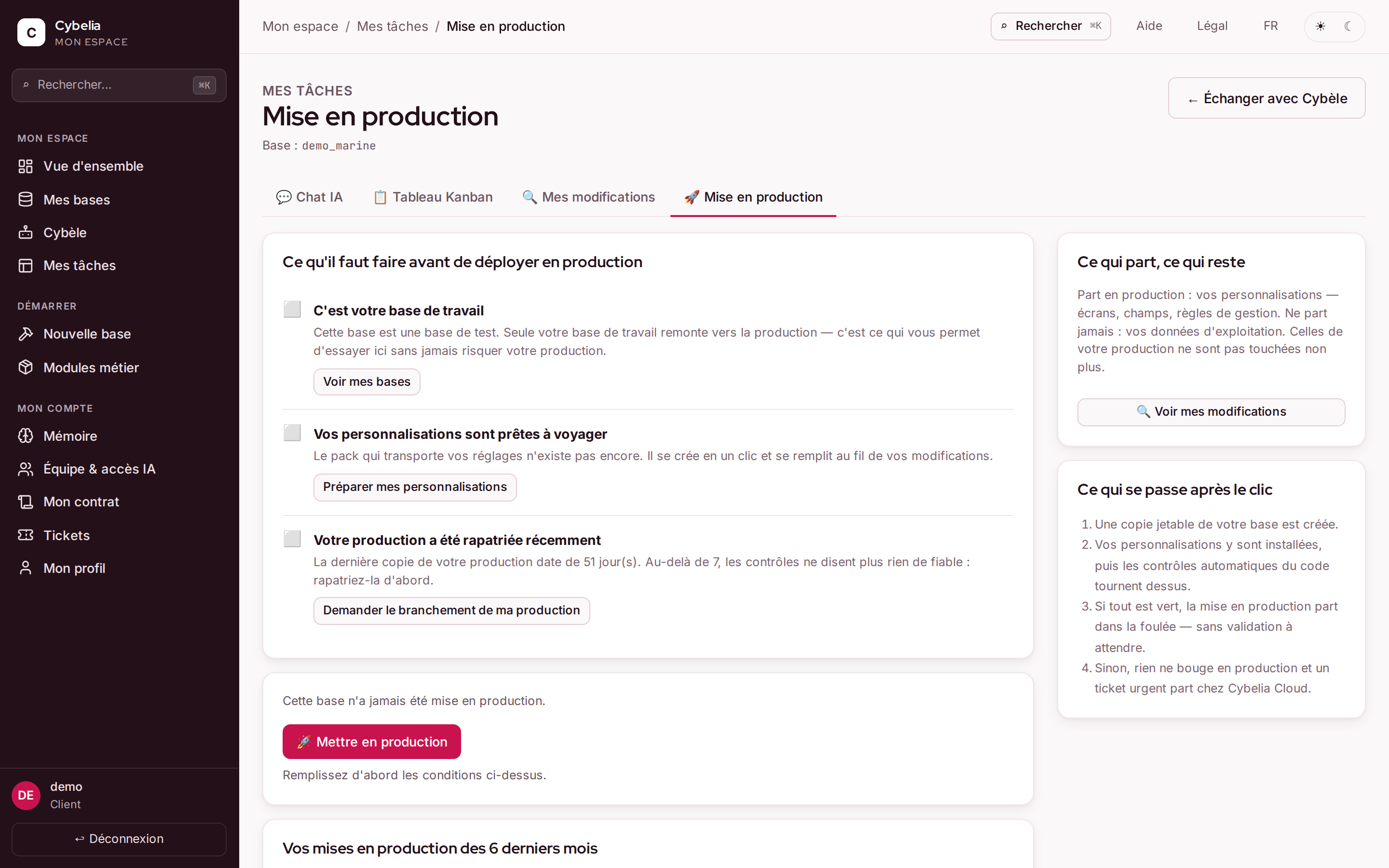 The conditions to meet before going live: the button stays grey while one is missing.
The conditions
Each line says what it checks, where that check stands, and carries its own repair button when it is not satisfied. You never have to look elsewhere for the action that unblocks a line: it is on the line.
What goes, what stays
Goes live: your customisations, screens, fields, business rules.
Never goes: your operating data. Your trial quotes, your invented
customers, your test entries stay in the working database. Your production's
data is not touched either.
Live progress, /production/status
Once launched, the go-live shows its progress in a box that refreshes itself every few seconds. That is what this address is for: redrawing the state without reloading the page. The heartbeat stops on its own once the operation is over, whether it succeeded or not.
You need not sit in front of the screen. You can close the tab and come back later: what you see will be the state at that moment, not the state when you left.
If something goes wrong
The error message appears at the top of the screen, in a box, in plain words. Nothing has been half applied: production is left as it was. You open a ticket, and the team takes over.
Emily put the "timber species" field live on a Tuesday morning. Two conditions were grey, the two repair buttons were enough, and the whole thing took under ten minutes.
In closing
This is the only screen that touches your production, and it is built so you cannot get it wrong: the conditions stay on display even when they are green, and each carries its own fix button. A greyed-out button is never a mystery.
Commenting is not enabled on this course.