Opening my ERP : /open/{db}
An address that displays nothing
This is the only page in this course you will never really see: it draws nothing, it takes you somewhere. The "Open my ERP" button, wherever it appears, goes through it. You click, and Cydoo opens in a new tab.
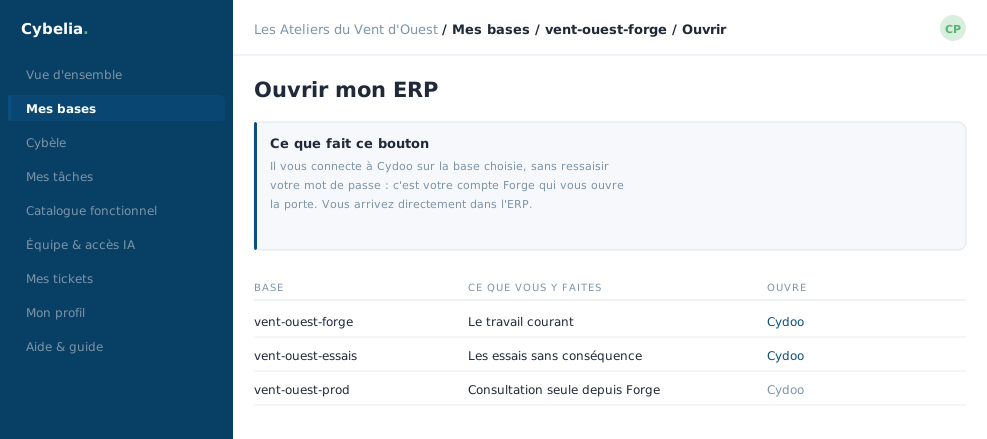 The hand-off screen: the portal signs you in to the ERP without asking for your password again.
What it does during the second you wait
Three things, in order. First it checks the database really is yours: an address typed by hand pointing at another company's database simply returns "database not found". Then it marks the database as used today, that is what protects it from parking and archiving. Finally it opens the ERP.
Two behaviours depending on the database
On a test database, the portal signs you in itself and you land straight on the Cydoo home screen. There is no password to type.
On your working database or a copy of production, you arrive at the Cydoo sign-in page. That is deliberate: those databases carry your production accounts, with your passwords, which the portal does not know and must not know.
Each database has its own address. You can open two side by side, in two tabs, without them getting mixed up. That is what lets you compare a copy of production against your working database without confusion.
When the ERP does not answer
If Cydoo is briefly unavailable, a restart, some maintenance, the portal does not throw you at a raw error page. It shows a screen saying "briefly unavailable" and offers to try again. Your database is not lost: it is simply out of reach for a few minutes.
In closing
This address is a passage, not a page. It checks the database is yours, prepares access, then steps aside. The only time you will notice it is the "database not found" message: it means that database is not yours.
Commenting is not enabled on this course.